
Best Free Meal Planning Apps Compared: Which One Actually Saves Money?
You plan to cook chicken on Tuesday. By Tuesday, you can’t find the recipe, you forgot to buy garlic, and you’re already tired. So you order pizza. Again.
That’s $35 gone — and the chicken you bought is still sitting in the fridge, slowly turning into a science experiment.
If that sounds familiar, you’re not alone.
The average American family wastes roughly $2,900 a year on food they throw away, according to a recent EPA report. On top of that, families who shop without a meal plan spend up to 40% more on groceries due to impulse buys. One skipped delivery order a month can save over $400 a year.
A free meal planning app won’t solve everything. But the right one can help you plan five dinners before you step foot in the store, build a shopping list from recipes that actually overlap ingredients, and stop buying that second bottle of soy sauce because you forgot you already had one.
This guide compares the best free meal planning apps actually available for U.S. users in 2026.
Every app below was verified against the current App Store and Google Play listings. Apps that have been discontinued, gone fully paid, or significantly changed their free tiers are noted clearly.
What “Actually Saves Money” Means in This Comparison
The phrase gets thrown around a lot. Here’s what it actually requires, in practical terms:
- Prevents duplicate purchases — A good grocery list combines ingredients across recipes so you don’t buy two bags of spinach for two dishes that both need a handful.
- Uses pantry ingredients first — If an app helps you build meals around what you already own, you spend less at the store.
- Creates a tighter grocery list — Fewer “just in case” items. Only what you need for the specific meals you planned.
- Reduces food waste — Produce you actually cook before it goes bad is produce you didn’t throw away.
- Helps plan leftovers — One batch of roasted chicken can be Tuesday’s dinner and Wednesday’s lunch wrap.
- Avoids specialty ingredients — A recipe that calls for pomegranate molasses costs you $8 for one tablespoon you’ll never use again.
- Reduces takeout — Having a plan for Thursday means Thursday is less likely to become a $40 DoorDash order.
Apps that only offer recipes or inspiration without a real grocery list system don’t meet this standard.
Pretty recipes that require specialty ingredients can actually increase your spending.
This comparison scores on the money-saving function, not the feature count.
Quick Decision Framework: Which App Should You Even Try?
Before getting into individual reviews, here’s a fast way to narrow it down:
You need recipes + a grocery list, nothing fancy → Mealime
You cook from what’s already in your fridge → SuperCook (free) or Cooklist (freemium)
Your biggest problem is an unorganized shopping list → AnyList free version
You want to save recipes from anywhere and plan visually → Samsung Food
You want a massive recipe database and don’t mind ads → BigOven free
You’re brand new to meal planning → Mealime (simplest starting point)
You’re on SNAP or a very tight budget → SuperCook (100% free, no upsells)
Comparison Table: Best Free Meal Planning Apps in 2026
← Scroll to see full table →
| App | Best For | Free Plan | Key Money-Saving Feature | Main Weakness | Paid Upgrade? | Budget Verdict |
|---|---|---|---|---|---|---|
| Mealime | Quick family dinners | ★★★★☆ | Auto grocery list by store section | No pantry or leftover tracking | No (Pro $5.99/mo) | Strong free option |
| Samsung Food | Recipe saving + visual planning | ★★★★☆ | Search recipes by ingredient | Pantry features are paid | No for basics | Good free tier |
| SuperCook | Cooking from what you have | ★★★★★ | Pantry-first recipe matching | No meal calendar or list | Never — 100% free | Best pure free |
| AnyList | Grocery list organization | ★★★☆☆ | Smart aisle-sorted shared lists | Meal planning requires upgrade | For full planning | Best free list app |
| Cooklist | Pantry tracking via loyalty card | ★★☆☆☆ | Auto-imports purchases from stores | Most key features are paid | Yes, $5.99/mo | Limited free tier |
| BigOven | Recipe variety + Use Up tool | ★★★☆☆ | “Use Up Leftovers” with 3 ingredients | Ads, 200 recipe save cap | No for basic use | Decent, cluttered UI |
| Start Simple / MyPlate | Healthy eating habits | ★★☆☆☆ | Budget-friendly recipe ideas | No meal planner or grocery list | Never — fully free | Nutrition tool only |
App-by-App Reviews
1. Mealime
Best Overall Free Meal Planning App for Families
What it does well
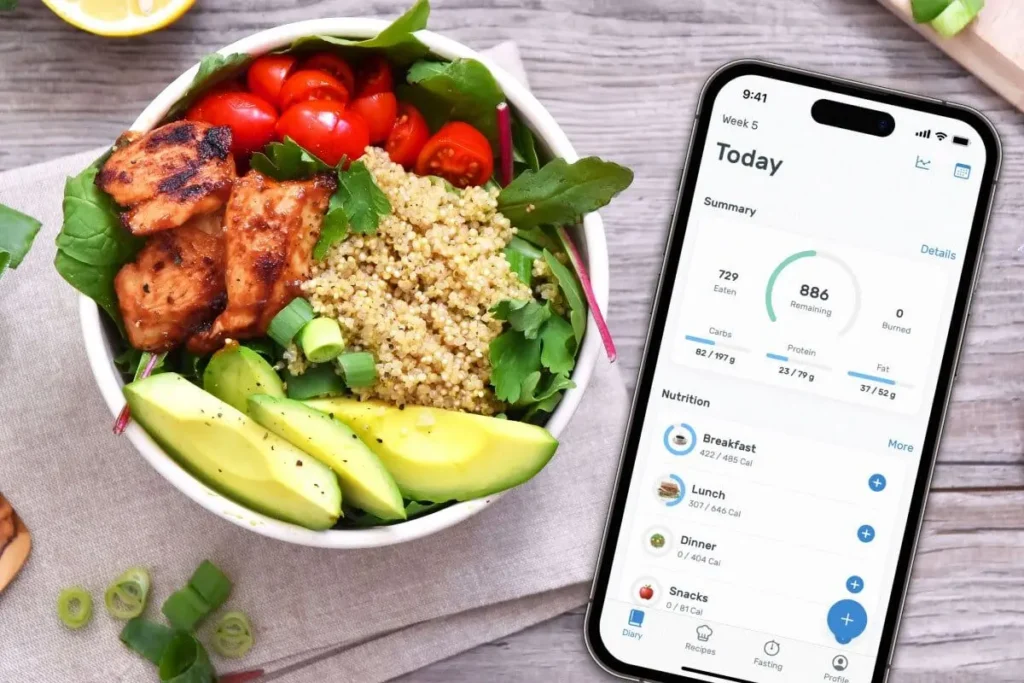
Mealime is built for one specific job: pick some recipes, generate a grocery list, cook dinner. It does that job cleanly. Every recipe is designed to take about 30 minutes. You filter by diet (keto, vegetarian, gluten-free, and others), pick your recipes for the week, and the app produces a grocery list sorted by store section — produce, dairy, meat, and so on. That list structure alone is a real time-saver in the store and helps you avoid the drift that leads to impulse buys.
The free version gives you access to the core recipe library, personalized meal planning, and the grocery list generator. You can serve up to six people, which works for most families.
What it doesn’t do well
Mealime has no pantry tracking. It doesn’t know what you already have. So if you have half a can of diced tomatoes and some chicken thighs in your freezer, the app won’t factor that in. You might buy ingredients you already own.
There’s also no leftover planning. And because it’s mobile-only in any real sense (the web version is nearly read-only), it’s not great if you prefer planning on a laptop. The recipe library is solid but entirely curated by Mealime — you can’t import your own recipes on the free tier.
Is the free version enough?
For most busy families, yes. The paid upgrade adds nutritional information, calorie customization, notes on recipes, and exclusive recipes. Unless you’re tracking macros or want deeper recipe control, the free version handles the core workflow.
How it saves money in real life
You plan five dinners on Sunday. The app generates one consolidated list. You go to Walmart or Kroger with that list and buy only what’s on it. You avoid the “wander and wonder” grocery trip that always ends with a cart full of things that don’t make a complete meal.
2. Samsung Food (formerly Whisk)
Best for Recipe Saving and Visual Planning
What it does well
Samsung Food has one of the largest free recipe libraries of any app on this list — over 240,000 recipes, including 124,000 with step-by-step guided cooking. You can also save recipes from any website on the internet, which is a big deal if you have a collection of bookmarked recipes from food blogs or cooking sites.
The grocery list function is good on the free tier. You build your weekly meal plan, tap to add to your shopping list, and the app generates a combined list. You can share lists with your family in real time, which prevents the classic “we both bought milk” problem. The recipe search by ingredient is free and genuinely useful.
What it doesn’t do well
Pantry tracking is locked behind Food+. The free plan gives you only 3 days of personalized meal recommendations — if you want the app to plan your full week, you’ll need to pay. Some navigation isn’t immediately obvious, and the grocery list only connects to one store.
Is the free version enough?
For recipe saving, basic meal planning, and grocery list generation — yes. For AI-powered planning, pantry tracking, and reusing past plans — you’d need Food+.
How it saves money in real life
The ingredient-search feature lets you type in “chicken thighs, canned tomatoes, onion” and find recipes that use exactly what you have. That prevents buying more groceries on top of a fridge full of food.
3. SuperCook
Best Free App for Pantry-First Cooking
What it does well
SuperCook is the simplest, most effective tool for the specific problem of “I have things in my fridge and pantry — what can I cook?” You enter your ingredients and it pulls up recipes ranked by how closely they match what you have. Some recipes need zero additional items. Others need one or two.
There’s no login required. No subscription screen. No upsell prompt every third click. It just works. This is the best free tool on this list for reducing food waste and cooking from what you already own.
What it doesn’t do well
SuperCook is a recipe finder, not a meal planner. There is no weekly calendar, no grocery list generator, no shopping list function. If you want to plan five dinners and produce a single shopping list, SuperCook isn’t built for that. Recipe quality also varies since results pull from third-party websites.
Is the free version enough?
There is no paid version. The whole thing is free, forever. This makes it the safest option for families who genuinely cannot afford to add another subscription.
How it saves money in real life
You have ground beef, canned kidney beans, chili powder, and onions. SuperCook shows you that you can make chili. You didn’t need to buy anything — and you used up the beans about to be forgotten at the back of the cabinet.
4. AnyList
Best Free App for Grocery List Organization
What it does well
AnyList started as a grocery list app, and the grocery list experience is where it excels even on the free tier. Lists automatically sort into categories that match your store’s layout — produce, dairy, meat, frozen, and so on. You can rearrange sections to match the exact order of your Kroger or Walmart. Your partner checks off milk on their phone and it disappears from yours in real time.
The free version also lets you save recipes and import them from the web, and add ingredients to your list directly from a recipe with one tap.
What it doesn’t do well
The meal planning calendar is behind the paid upgrade. On the free tier, you have the grocery list and the recipe box, but no weekly planning view. If you want to see Monday through Sunday laid out with dinners assigned to each night, you’ll need AnyList Complete.
Is the free version enough?
If your main goal is a better grocery list and a place to save recipes, yes. If you want a visual weekly meal plan, the $14.99/year household upgrade is worth considering — that’s $1.25 a month.
How it saves money in real life
AnyList’s real-time shared list is one of the best tools for preventing duplicate purchases. It also merges ingredients — if two recipes need onions, you only see “onions” once on the list.
5. Cooklist
Most Powerful Pantry Tracking (But Mostly Paid)
What it does well
Cooklist’s signature feature is its loyalty card integration. Connect your Kroger, Walmart, or other participating store loyalty account, and Cooklist automatically pulls your purchase history into a digital pantry. It knows you bought chicken thighs two weeks ago and a bag of rice last month. Based on that, it suggests recipes from what you (theoretically) still have, and alerts you when items are nearing their expiration. The app also does in-app ingredient price comparisons.
What it doesn’t do well
The loyalty card integration has mixed reliability — users report broken connections, freezing, and data errors. More critically: most features that make Cooklist special are behind the paywall. The free tier is genuinely thin. If you’re strictly looking for free, this app will disappoint you after the 7-day trial ends.
Is the free version enough?
Honestly, no. The app is built around features that require the Pro subscription. Most families will either upgrade or abandon it after the trial.
How it saves money in real life (when it works)
Automated expiration alerts mean you cook the chicken on day 5 instead of throwing it out on day 8. For families who consistently waste produce, Cooklist’s system is worth $5.99/month if it prevents even one week of wasted groceries.
6. BigOven
Best for Recipe Variety and the “Use Up Leftovers” Tool
What it does well
BigOven has over a million recipes — the largest database of any app on this list. The free version includes a meal planner, grocery list, and a tool called “Use Up Leftovers” that lets you enter up to three ingredients and find recipes that use them. That’s a genuinely useful free feature for reducing food waste and using up random fridge items. The grocery list lets you add recipe ingredients directly and sort by department.
What it doesn’t do well
The free version shows ads, which slows down the experience. The 200-recipe save cap is a real limitation if you’re building a family recipe collection. The app can be cluttered and slow compared to more streamlined options like Mealime. There’s no pantry tracking on any tier.
Is the free version enough?
For occasional use and recipe discovery, yes. For daily family meal planning, the ads and interface density get annoying. The $24.99/year Pro plan is reasonable if you end up using BigOven regularly.
How it saves money in real life
The “Use Up Leftovers” tool is the standout free feature. You have half a zucchini, some eggs, and leftover pasta — enter those three things and BigOven shows you what you can make.
7. Start Simple with MyPlate
A Nutrition Habit Tool, Not a Meal Planner
What it does well
Start Simple with MyPlate is a habit-tracking app. You set simple daily food goals — eat a fruit at breakfast, add a vegetable to dinner — and check them off. It’s encouraging, pressure-free, and has no upsells. Fully free, government-made.
What it doesn’t do well
This is not a meal planner. It doesn’t generate a grocery list. It doesn’t have a weekly calendar. It can’t help you plan five dinners or compare ingredient costs. Users who download it expecting a full planning tool are disappointed.
Is the free version enough?
It’s the only version. But it’s a nutrition motivation app, not a grocery budget tool.
Scoring Breakdown: Budget-Saving Value

Each app scored 1–5 per category.
These scores reflect money-saving usefulness on the free tier, not overall feature richness. For the “pricey ingredient risk” column, 5 = very low risk and 1 = high risk.
| App | Free Plan | List Quality | Pantry Support | Budget Recipes | Ease of Use | Waste Reduction | Low Pricey Risk | Usable Free | Total /40 |
|---|---|---|---|---|---|---|---|---|---|
| SuperCook | 5 | 1 | 5 | 5 | 5 | 5 | 5 | 5 | 36 |
| Mealime | 5 | 5 | 1 | 3 | 5 | 3 | 2 | 5 | 29 |
| Samsung Food | 4 | 4 | 2 | 3 | 4 | 3 | 2 | 4 | 26 |
| Cooklist | 2 | 3 | 4 | 4 | 3 | 4 | 4 | 2 | 26 |
| AnyList | 3 | 5 | 1 | 3 | 5 | 2 | 3 | 3 | 25 |
| BigOven | 3 | 3 | 2 | 3 | 3 | 3 | 2 | 3 | 22 |
| Start Simple / MyPlate | 2 | 1 | 1 | 2 | 4 | 2 | 5 | 5 | 22 |
Where Free Meal Planning Apps Can Accidentally Cost You More
Apps that are supposed to save you money can backfire if you’re not careful.
Here’s what to watch for.
- Recipes with expensive proteins. Many apps surface restaurant-quality recipes that call for salmon, shrimp, ground lamb, or beef tenderloin. Plan three of those in one week without checking your budget first, and you’ll spend more than you would have without any plan.
- One-use specialty ingredients. Harissa paste, fish sauce, or tahini — a recipe might need a tablespoon and leave you with $7 of condiment you’ll use once and forget. Scan ingredient lists before adding a recipe and skip anything that requires a special-trip purchase.
- Premium subscription upsells. Cooklist and Samsung Food both have meaningful paywalls behind their most useful features. Know before you download what the free tier actually includes.
- Grocery delivery fees. Cooklist and Samsung Food both integrate with grocery delivery services. Delivery fees, service charges, and tips can add $10–$20 or more to a single order.
- Impulse recipe browsing. BigOven and Samsung Food have large, visually appealing recipe feeds. Browsing without a plan can result in an ambitious weekly menu that busts your budget before you’ve left the house.
- App-generated lists that ignore store sales. None of the free apps on this list integrates with your store’s weekly ad or digital coupons. Always check your store’s circular before finalizing your plan.
- Loyalty card privacy concerns. Cooklist connects to your grocery store loyalty accounts and pulls your purchase history. Read the privacy policy carefully before linking your accounts.
How to Use a Free Meal Planning App to Actually Save Money
Downloading an app is the easy part.
Here’s how to use it so that your grocery bill actually drops.
Check your pantry before you open the app. Walk through your kitchen. Open the fridge, the freezer, and the cabinet. Write down or photograph what you have, especially proteins, grains, and canned goods. Do this before you browse any recipes.
Choose recipes around proteins you already have. If you have chicken thighs in the freezer, start there. Proteins are typically the most expensive part of any meal — using what you own first is the highest-value move.
Build your grocery list from overlapping ingredients. Pick recipes that share ingredients. Two recipes that both use bell peppers, onions, and garlic are more budget-friendly than two recipes that share nothing.
Avoid recipes with one-use specialty items. Before committing to a recipe, scan the ingredients. Cilantro, lime, and basic spices are fine. Preserved lemon, specialty fish paste, or imported cheese are red flags on a tight budget.
Plan leftovers before you shop. Roasted chicken on Monday becomes chicken tacos on Tuesday. Build the leftover meal into your plan before you make your list.
Compare your app list against store sales. Before finalizing your list, pull up your store’s app or weekly ad. If the store brand of canned tomatoes is half the price, buy the store brand. Free apps don’t do this for you.
Set a weekly grocery cap before you add recipes. Decide how much you’re spending before you start planning. If your cap is $120, build your meal plan with that number in mind.
Free Meal Planning Apps vs. Paid Meal Planning Apps

Free apps can handle the core workflow, recipe selection, basic meal planning, and grocery lists well enough for most families.
Most families don’t need to pay.
You probably don’t need to upgrade if you…
- Just need help picking recipes and building a shopping list
- Are new to meal planning and testing whether it works for you
- Have a consistent routine and mostly cook the same 15–20 meals
- Are on a tight budget where another $6–$15/month isn’t worth it
The upgrade might pay for itself if…
- Pantry tracking consistently prevents $20–$30/week in wasted food
- A paid app cuts your planning time from 2 hours to 20 minutes weekly
- You’re replacing multiple $35–$40 takeout orders per month
- The app integrates with your store and matches its sales
The math is simple.
If Cooklist Pro at $5.99/month prevents two spoiled rotisserie chickens a month ($15 in wasted food), it pays for itself.
If you’re mostly disciplined already and just need a grocery list, the free tier of Mealime or AnyList does the job without the expense.
Don’t upgrade just because the app asks you to. Upgrade because the free tier has a specific, real limitation that’s costing you money or time.
Final Verdict: Best Free Meal Planning Apps
“Best For” Quick-Reference
- Best for beginners: Mealime — simple interface, quick recipe picks, auto grocery list
- Best for pantry cooking: SuperCook — 100% pantry-first, 100% free
- Best for recipe saving: Samsung Food — save from any website, huge library
- Best for grocery lists: AnyList — real-time synced, aisle-sorted, partner-friendly
- Best no-frills option: SuperCook or Mealime free
- Best if you might upgrade someday: AnyList Complete at $14.99/year (household) — the best-value paid upgrade in this category
Pick One App and Start This Week
Reading about apps doesn’t lower your grocery bill. Using one does.
If you’ve never meal planned before, download Mealime. Pick three dinners — not five, just three. Choose recipes that share at least one ingredient. Generate the list. Go to the store with only that list.
Do that once. See if you spend less and waste less.
If your real problem is that you forget what’s in your fridge and cook nothing with it, open supercook.com right now. Type in five things sitting in your kitchen. Cook one of the zero-missing-item recipes this week.
The apps won’t save you money automatically. The habit will. The app just makes the habit easier to build.
Pick the one that matches the problem you actually have, use it for one week, and track whether your grocery spending goes down.
That’s the only test that matters.
Verified June 2026. App availability and pricing confirmed against current iOS App Store and Google Play listings. MyPlate Kitchen recipe database status verified via USDA.gov. Mealime Pro pricing ($5.99/month) verified against current listings — older roundups may still show the previous $2.99/month rate. Cooklist free tier limitations confirmed via multiple independent reviews, updated April 2026.
